Learn how to transform raw git logs into readable engineering reports. Explore tools for founders and PMs to track progress without reading code.
Read ← Blog
Guide · · 13 min read
Choosing Project Management Agile Software in 2026
A guide to selecting agile software for non-technical leaders, featuring 10 top tools and strategies for translating dev activity into business value.
DevSummary Team
Audit the direct link between your version control system and your task board before comparing feature lists. This connection determines whether project management agile software functions as a source of truth or a manual data entry burden. For non-technical leaders, the primary risk is losing visibility into the development “black box,” where tickets remain stagnant without a clear translation of how technical activity impacts the product roadmap. The most effective software bridges the gap between code and clarity by translating technical commits into business narratives.
This evaluation settles which platforms effectively surface development progress, allowing for informed decision-making without requiring a background in software engineering. You will be able to select a system based on its ability to integrate with repositories, automate reporting, and maintain data privacy. By prioritizing tools that offer a transparent view of the codebase, you can move away from manual status updates and toward a system where development data provides a clear picture of project health.
Key takeaways
- Prioritize tools that offer native Git integration to reduce the manual reporting burden on developers.
- Select software based on your team’s specific agile framework (Scrum, Kanban, or Hybrid) rather than feature density.
- Use automated reporting layers like DevSummary to bridge the gap between technical commit logs and stakeholder status updates.
- Evaluate the ‘local-first’ privacy trade-off when choosing between cloud-based suites and source-available tools.
Agile software must bridge the gap between code and clarity
Avoid the trap of selecting software based solely on its popularity among developers. For non-technical founders, the primary failure point in project management is the “black box” of development activity, where time and capital disappear into a backlog without providing clear visibility into the actual output. A tool that merely tracks tickets often fails because it provides granular data without providing the necessary context for business decisions. If a founder cannot look at a dashboard and immediately grasp the health of a sprint without requesting a manual update, the software is failing its primary purpose as a management interface.
Effective agile software in 2026 must act as a translator. It is not enough for a platform to show that a pull request has been merged or a story point has been burned down; the system must synthesize these technical milestones into business narratives. This means the software should highlight how specific engineering efforts align with product milestones and go-to-market dates. When the interface bridges the gap between raw code and executive clarity, it eliminates the friction of constant status meetings and reduces the risk of misaligned expectations between the engineering team and the leadership.
Prioritize platforms that offer automated reporting layers designed for non-technical eyes. These features should summarize complex sprint data into high-level progress indicators that reflect real-world value rather than just velocity charts. Learning how to report engineering progress to non-technical stakeholders is a vital skill for any project lead, but the right software makes this process a default setting rather than an administrative burden. Look for integrations that pull directly from the codebase but present information in a format that answers the fundamental question: “Are we on track to deliver what the business needs?”
Criteria for ranking the top agile project management tools
Select an agile tool based on how effectively it connects technical repositories to business oversight. Prioritize native integration with GitHub so that code commits and pull requests update project statuses automatically. Choose an interface that remains intuitive for non-developers. If a tool requires a technical background to navigate, it will silo information within the engineering department and block cross-functional transparency.
Look for automated reporting features to eliminate manual status updates for scrum masters and product owners. Use customizable dashboards that pull data directly from active tasks to show velocity and burn-down rates in real time. To connect technical progress with business value, implement automated and detailed GitHub reporting for non-technical stakeholders to maintain alignment between engineering teams and executive leadership.
Verify data privacy and security configurations as a final requirement. Focus on granular permission sets and regional data residency options, which are essential for compliance. Ensure administrators can restrict access at the task or project level and access audit logs for all automated actions. These features allow the tool to support fast agile delivery while meeting the strict demands of corporate governance.
| Option | Best for | Strongest point | Main trade-off |
|---|---|---|---|
| monday work management | Visual workflows | Customization flexibility | Pricing structure complexity (confirm on vendor page) |
| ClickUp | All-in-one productivity | High feature density | Significant learning curve for new users |
| Jira | Software development | Deep developer tool ecosystem | Interface can feel cluttered for non-technical staff |
| Asana | Task coordination | User experience and design | Limited native agile-specific reporting |
| Miro | Visual collaboration | Infinite canvas for brainstorming | Lacks structured database task tracking |
| Smartsheet | Data-heavy projects | Advanced spreadsheet functions | Not natively built for agile rituals |
| Wrike | Complex project scaling | Custom request form automation | Rigid folder hierarchy |
| Teamwork.com | Client-facing work | Integrated time tracking and billing | Narrow focus on service-based agencies |
| Todoist | Lightweight task tracking | Minimalist interface | Lacks robust team-wide reporting features |
| Notion | Knowledge management | Flexible database views | Requires significant manual setup time |
The 2026 leaders in agile software delivery
Focus on translating technical velocity into business outcomes rather than tracking individual commits. Choose agile software that turns developer jargon into actionable timelines for stakeholders. Select a platform that distills sprint data into high-level health indicators. This allows management to make decisions without inspecting the codebase.
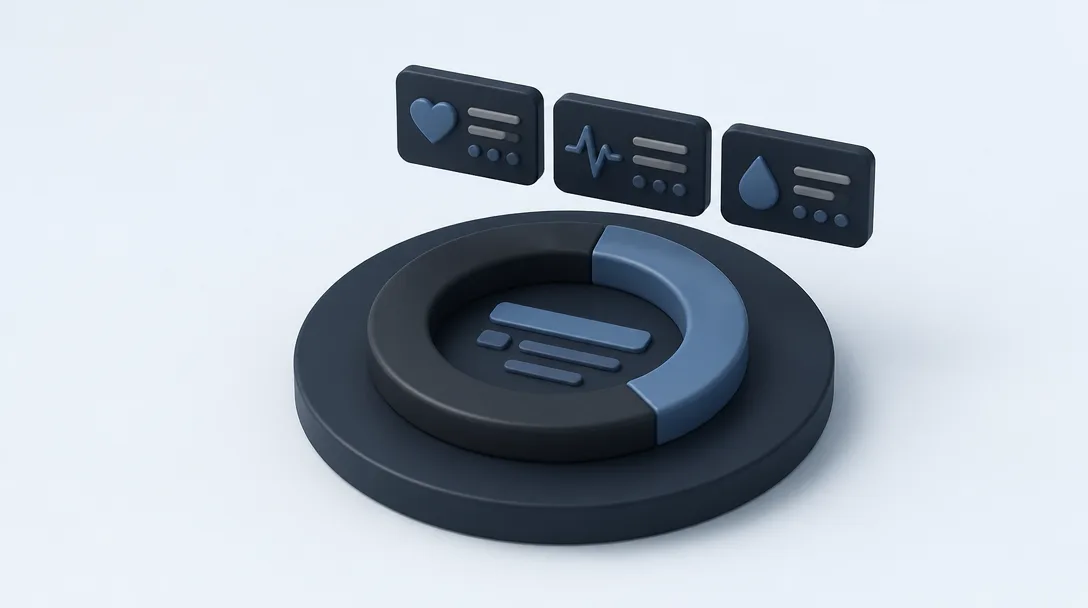
Use Jira to connect engineering teams with business management. Non-technical managers should use the advanced roadmap features and automated reporting to pull data from repository activity. Monitor release cycles and bottleneck trends with pre-configured gadgets that convert developer output into progress percentages. Review the current tier structures and feature sets on the Atlassian site to match the plan to your team size.
Choose ClickUp if you require a unified view of tasks, documentation, and goals in one interface. Use its customized “Dashboards” to aggregate data from multiple technical projects into one executive summary. This oversight of the critical path prevents you from getting lost in granular sub-tasks. Verify the specific limitations and costs of each plan on the official ClickUp pricing page before you commit.
Adopt monday work management to present project health to non-technical executives with visual clarity. It employs a highly customizable board system. You can automate these boards to update when statuses change in external developer tools. This creates a “traffic light” system for project progress that requires no technical interpretation. Check the official website for the most recent plan details and automation limits.
Know when to look closer at the data to manage effectively. While these three leaders handle broad oversight, use specialized views into code repository performance to understand team efficiency or identify delays. If you require granular insights into how engineering activity translates to progress, consult this guide to the 6 Best GitHub Reporting Tools in 2026 (Free & Paid), Compared. Maintain a high-level view in your primary software and access deeper technical analytics only when a sprint falls behind schedule.
Collaborative and documentation-heavy agile alternatives
Organizations prioritizing visual strategy and real-time brainstorming should integrate Miro into their agile workflow. This platform serves as a digital whiteboard where teams map out user journeys and complex dependencies before a single ticket is created. It excels at capturing the purpose behind a feature, providing a canvas for discovery phases and retrospective meetings. While it offers various subscription tiers, teams should verify current plan features and pricing on the vendor’s site to ensure they have access to the necessary administrative controls for large-scale collaboration.
When the primary requirement is a centralized knowledge base that links directly to project tasks, Notion provides a unified workspace. It allows teams to build custom databases that house product requirements documents alongside sprint boards. This approach ensures that developers and stakeholders have immediate access to the rationale behind specific tasks without switching applications. Because Notion frequently updates its workspace blocks and AI-assisted features, teams must check the official site for the latest pricing and functional limits before committing to a specific organizational structure.
For teams that require a balance between structured task management and high-level goal alignment, Asana provides a centralized framework for tracking cross-departmental initiatives. It is particularly effective for marketing or product teams where project management agile software must connect technical output to business milestones. Its interface focuses on clarity of ownership and timeline visualization. As with other SaaS platforms, users should consult the vendor’s pricing page to confirm which automation and reporting features are available under their chosen tier.
Despite the strengths of these documentation-heavy tools, they introduce a significant risk of data fragmentation. When the strategic purpose lives in one platform and the technical execution lives in another, the documentation can quickly become disconnected from the actual code repository. Without disciplined manual updates or sophisticated third-party integrations, the project board and the codebase may drift apart. This creates a scenario where the primary record of information is contested, potentially leading to developers building features based on outdated requirements or missing critical context stored only in a visual board or a wiki page.
Enterprise and niche agile solutions for scale
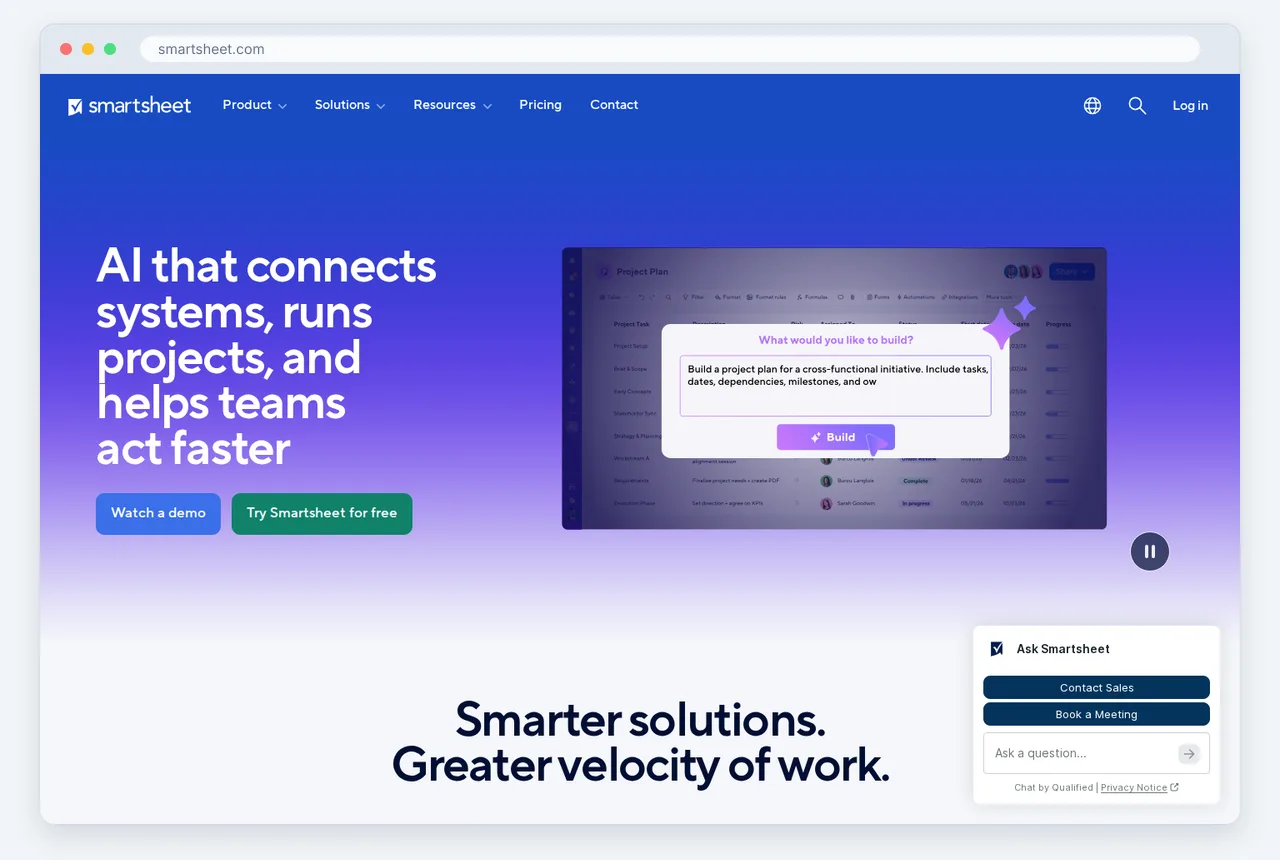
Founders scaling operations often prioritize cross-departmental visibility over the rigid frameworks of pure software development. Smartsheet provides a spreadsheet-like interface that translates easily to finance and operations while supporting Gantt charts and card views for agile teams. Similarly, Wrike offers enterprise-level customization, allowing organizations to automate workflows across diverse departments. These platforms allow a business to maintain a single source of truth without forcing non-technical staff into complex developer-centric environments.
Selecting a tool often depends on the breadth of the organization’s needs. While some teams require strict Scrum functionality, many founders opt for flexibility to accommodate hybrid workflows. In fact, a detailed guide on the 12 best agile management tools requires a twenty minute reading time to fully digest the options available. This variety exists because “pure” agile software often lacks the precise resource management and budgeting features that enterprise-grade solutions provide for high-level oversight.
For business models built on client services, Teamwork.com fills a specific niche by integrating billable hours and client access directly into the project management agile software. A founder running an agency may find that standard software-focused agile tools fail to track profitability or manage external stakeholders effectively. By using a platform designed for client work, leadership can implement iterative delivery cycles while ensuring that every sprint aligns with the financial constraints of a specific contract.
Smaller startups or niche firms often find that heavy enterprise tools introduce too much friction. Todoist serves these founders by offering a simplified, task-based approach that can be adapted for light agile practices like Kanban or personal sprints. While it lacks the deep reporting of its competitors, its speed and ease of adoption make it a viable choice for founders who need to move quickly without a dedicated project manager. Before committing to any platform, users should verify current pricing and feature tiers on the vendor’s official website as these specifications are subject to change.
Hybrid approaches require specialized reporting
The rigid divide between waterfall and agile has collapsed. Most engineering and product teams now operate under hybrid models, blending long-term roadmap predictability with iterative delivery. When selecting project management agile software, the primary requirement is no longer just support for a single framework like Scrum or Kanban. Instead, software must accommodate teams that track high-level milestones via traditional methods while executing daily tasks through agile sprints. This shift reflects a broader trend toward flexibility, as outlined in the 5 tips for adopting a hybrid project management approach published on July 9, 2025.
The greatest friction point in these hybrid environments is reporting. Standard dashboards in legacy tools are often designed for a single methodology, leading to fragmented data. When one department uses story points and another uses time-based estimates, the resulting “unified” view is usually inaccurate. Founders and executives find themselves toggling between disparate views or manually reconciling spreadsheets to understand the true state of development. This lack of visibility makes it difficult to assess resource allocation or predict launch dates with any degree of certainty, rendering many out-of-the-box reporting modules ineffective for complex, multi-modal workflows.
To solve this, technical leaders must prioritize tools that aggregate data across different tracking styles without requiring manual intervention. Founders who need a high-level overview of velocity and output across multiple repositories often find that standard project management agile software lacks the necessary granularity. For those requiring a more technical, automated synthesis of developer activity, using a dedicated DevSummary: GitHub Reporting Tool for Founders provides a clearer picture than a generic project dashboard. Bridging the gap between raw code commits and high-level project milestones is essential for maintaining a realistic view of progress.
Automate the narrative with AI engineering reports
Implement a reporting layer like DevSummary to convert technical activity into executive-level narratives. While standard agile software tracks ticket status, it often fails to capture the nuance of daily engineering work. By layering a specialized reporting tool over existing repositories and project boards, teams generate summaries that bridge the gap between “in progress” and actual technical milestones. This approach ensures that project managers receive a coherent story of development without requiring engineers to manually draft status updates.
Privacy remains a primary concern for engineering teams, making the choice of architecture critical. Opting for local-first, source-available tools ensures that sensitive codebase data does not leave the developer’s environment for processing. This infrastructure appeals to privacy-conscious organizations that require transparency in how their data is handled. For teams prioritizing these security standards, DevSummary Desktop: local-first engineering reports, source available offers a way to generate insights while keeping the raw data under internal control.
This reporting layer specifically addresses the “insufficient commit message” problem that frequently hinders project visibility. Engineers often focus on code logic rather than descriptive documentation, leaving project managers with cryptic logs like “fix bug” or “update UI.” AI-driven engineering reports analyze the actual code changes to produce human-readable summaries. This transformation allows stakeholders to understand the complexity and impact of work performed, regardless of the brevity of the original commit messages, ensuring the agile dashboard reflects reality.
Frequently asked questions
What is a product backlog in Agile?
A product backlog is a prioritized list of work for the development team that is derived from the product roadmap and its requirements. It serves as the single source of truth for all tasks, ranging from new feature requests to technical debt and bug fixes. Teams use project management agile software to dynamically reorder these items based on real-time stakeholder feedback.
What is the agile project methodology?
Agile is an iterative approach to project management and software development that helps teams deliver value to their customers faster and with fewer headaches. Instead of a single “big bang” launch, teams deliver work in small, consumable increments. This methodology relies on project management agile software to facilitate constant evaluation of requirements, plans, and results, allowing for rapid pivots.
What is the best software for construction project management?
Procore and Autodesk Construction Cloud are the leading choices for managing physical builds, as they handle specialized needs like BIM modeling and site safety. While general project management agile software excels at digital product delivery, construction requires tools that integrate RFI tracking and submittal workflows. Ensure your selected platform offers robust mobile functionality for field teams to sync data from the job site.
Deciding on Your 2026 Agile Framework
Choosing the right project management agile software requires moving beyond generic feature checklists to focus specifically on how data flows through your organization. The primary distinction between a high-performing tool and a productivity sink is the level of manual maintenance required to keep the roadmap synchronized with the actual codebase. Before committing to a platform, run this evaluation process to ensure the software serves your engineers rather than burdening them with the administrative tasks of status reporting.

- Map existing bottlenecks. Identify the specific points in your current delivery pipeline where technical progress becomes invisible to non-technical stakeholders.
- Quantify administrative overhead. Calculate the total hours engineering leads currently spend manually translating code commits into status updates for your project management agile software.
- Validate integration depth. Confirm the platform provides native, bi-directional synchronization with your version control systems and CI/CD pipelines to ensure data integrity across the stack.
- Prioritize automated narratives. Determine if the tool can autonomously generate high-level progress summaries that satisfy executive reporting requirements without constant human intervention.
- Confirm fiscal alignment. Evaluate how the pricing tiers and seat costs will impact your operational budget as your team scales through the remainder of 2026.
To ensure your chosen project management agile software stays accurate without manual data entry, visit Devsummary to automate your engineering status reports.