Learn how to transform raw git logs into readable engineering reports. Explore tools for founders and PMs to track progress without reading code.
Read ← Blog
Guide · · 13 min read
Mastering Git Slack Integration for Engineering Visibility
Learn how to connect Git to Slack for real-time updates and how DevSummary turns raw commit logs into readable executive reports.
DevSummary Team
Link version control events like commits and pull requests to specific Slack channels using webhooks and OAuth-based applications. Avoid treating a raw feed of repository events as a substitute for project visibility, which is a common error when teams view these integrations as simple notification streams. Curate these streams to prevent high-volume Git data from becoming background noise. This ensures non-technical stakeholders do not ignore the feed and helps bridge the gap between code changes and product progress.
Configure these connections using this guide to ensure engineering efforts remain visible to the entire organization. Follow the technical requirements provided to upgrade legacy workspaces to 2026 feature standards. Align your integration architecture with specific enterprise security profiles. Choose between standard cloud-based notifications and local-first reporting tools. These tools protect source code privacy while providing the high-level narrative summaries that founders and project managers require.
Implement these strategies to transform repository data into actionable intelligence. Move beyond basic alerts to automated reporting by following the next sections. Use per-author tallies and AI-driven knowledge bases to track team velocity without manual intervention.
Key takeaways
- The official GitHub app for Slack provides real-time event notifications but requires manual interpretation of technical data.
- Workspaces running versions released before August 19, 2026, must upgrade to maintain full integration functionality.
- DevSummary bridges the gap for non-technical stakeholders by translating raw Git logs into plain-English engineering reports.
- Local-first reporting tools offer a privacy-centric alternative for teams that cannot use cloud-based sub-processors.
Git Slack integration connects repository events to team channels
Connect your codebase to your communication hub by linking specific version control events to designated Slack channels. Configure a dedicated application to monitor the Git environment rather than checking repositories manually. This setup automates the broadcast of activity, including new commits, pull request openings, and code review comments. By centralizing these notifications, you ensure the team remains informed of progress without switching between different interfaces.
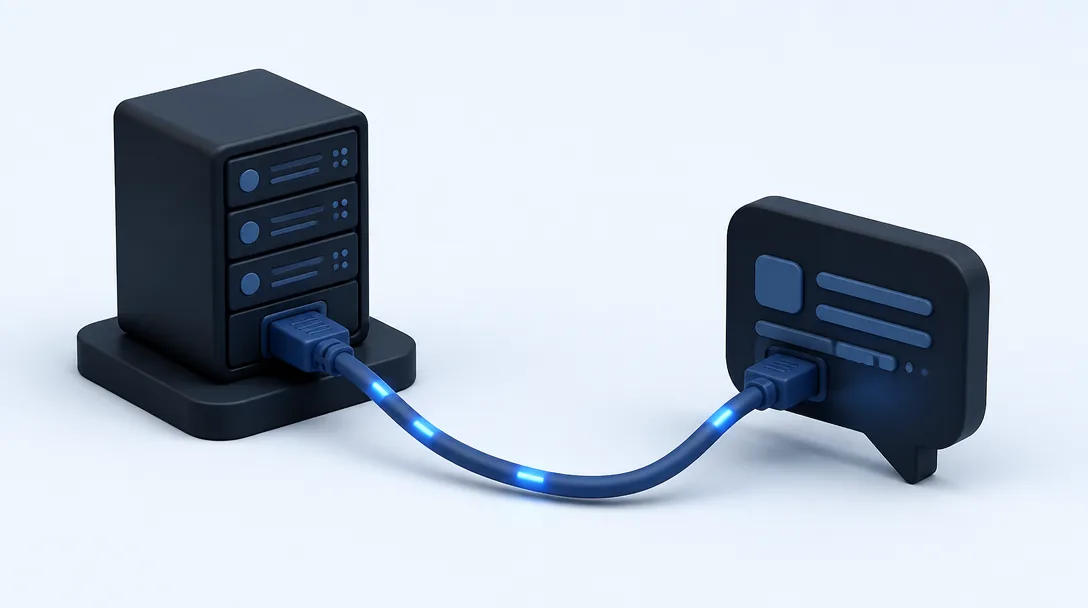
Synchronize data between the two platforms using OAuth and webhooks. During configuration, the Slack app uses OAuth to request specific permissions from the Git provider, granting the integration the scope required to access repository metadata. Once authorized, the Git provider uses webhooks, which are automated HTTP callbacks, to push data to Slack whenever a predefined event occurs. These webhooks transmit a payload containing details about the code change. The integration then parses this data and displays it as a formatted message. For teams requiring more granular data visualization beyond simple notifications, exploring the 6 Best GitHub Reporting Tools in 2026 (Free & Paid), Compared provides insights into how these data streams can be synthesized for deeper analysis.
Install the official Git app within your Slack workspace and map specific repositories to individual channels. This mapping prevents high-traffic repositories from cluttering general channels while ensuring critical infrastructure updates reach the appropriate SRE or DevOps teams. Customize the integration to filter for specific branches or event types, such as broadcasting only merged pull requests or failed build alerts. This targeted approach transforms the repository into an active participant in your daily workflow, facilitating faster response times to blockers and review requests.
Legacy workspaces require manual upgrades features
Upgrade your Slack workspace’s GitHub integration to access advanced pull request metadata and granular commit data. Legacy versions of the application often limit visibility to basic text strings, which can stall the feedback loop for reviewers. These older iterations do not support the enhanced visibility features introduced.
Check the installation date and version status of your GitHub app to determine if your workspace requires an update. If the installation was released before August 19, 2026, upgrade at the Slack Marketplace to enable the latest features and permissions. This manual step is necessary because standard background updates cannot automatically grant the expanded permission scopes required visibility tools. Relying on an outdated installation prevents the workspace from accessing the new API endpoints that facilitate real-time collaboration.
Resolve this versioning gap by re-authorizing the connection via the official Slack-GitHub portal. Navigate to the marketplace listing, select the upgrade option, and refresh the OAuth tokens when prompted. Completing this process ensures that the integration can use the full suite of 2026 capabilities, such as interactive deployment triggers and real-time environment status updates. Because the security constraints of older versions block these features, a manual upgrade is required to centralize development telemetry within Slack.
Raw notifications fail the non-technical stakeholder
Standard Git-Slack integrations often create a flood of raw technical data that obscures actual progress. While a developer benefits from seeing every “fixed linting error” or “merged hotfix/db-migration-4” in real-time, these notifications provide little value to a founder or Product Manager. For non-technical stakeholders, a chronological stream of commit hashes and branch deletions is noise, not visibility. When the communication channel is saturated with technical shorthand, the very people who need to understand project velocity often mute the notifications entirely to regain focus.
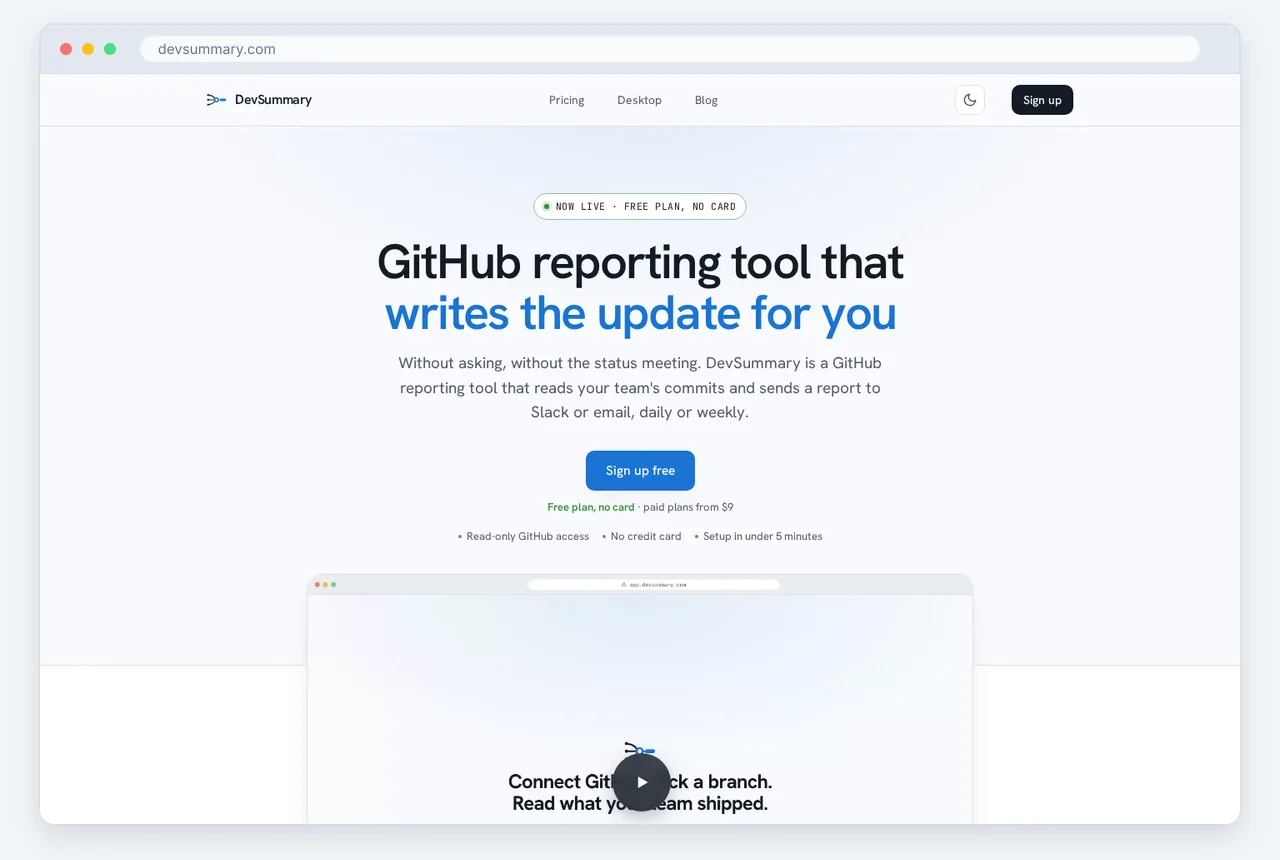
The failure of raw notifications lies in the lack of context and hierarchy. A non-technical leader requires a high-level understanding of whether a feature is on track or if a milestone is at risk, yet most integrations treat a critical architectural change and a minor typo fix with the same level of prominence. This forces stakeholders to perform manual mental labor to decipher what a day’s worth of engineering activity actually means for the business roadmap. Without a narrative layer, the integration serves as a log file rather than a communication tool.
To fix this disconnect, engineering teams must move beyond simple event-based triggers toward structured reporting. Visibility is only achieved when the data is translated into a format that highlights achievements and blockers rather than just file changes. Teams looking to bridge this gap effectively should prioritize GitHub reporting for non-technical stakeholders by implementing tools that aggregate activity into meaningful summaries. This approach ensures that Slack remains a place for informed decision-making rather than a dumping ground for uninterpreted data.
DevSummary solves this problem by synthesizing raw Git activity into high-level narrative summaries designed for consumption by the entire organization. Relying on stakeholders to parse technical logs is an avoidable friction point. By filtering out the granular noise of minor commits and focusing on the broader impact of code changes, DevSummary provides the context that raw integrations lack. This allows founders and PMs to maintain a pulse on engineering health without needing to understand the underlying syntax of the version control system.
Security profiles dictate the choice of integration architecture
Selecting an integration architecture requires balancing the need for visibility with the organization’s risk tolerance. For teams prioritizing ease of use and standard cloud connectivity, the GitHub app is free to install and use (confirm current pricing and plan details on the Slack Marketplace). This cloud-to-cloud connection pushes notifications directly from GitHub’s servers to Slack channels, requiring minimal configuration but necessitating a persistent connection between the two services.
Enterprise compliance often hinges on the chain of data processing and the number of entities with access to sensitive metadata. A critical security fact for compliance teams is that the official GitHub and Slack integration has no sub-processors. This means that repository data and notification payloads remain within the established trust boundaries of the two primary service providers. This lack of third-party involvement simplifies vendor risk assessments and aligns with standard data protection impact assessments.
Organizations operating under stricter data sovereignty mandates or “zero-trust” policies regarding source code may find local-first reporting more appropriate. This architecture processes repository data on a local workstation or within a private network, ensuring that raw code never leaves the controlled environment. For teams that need to generate high-level visibility without granting a cloud service broad read access to their entire codebase, DevSummary Desktop: local-first engineering reports, source available provides a secure alternative for summarizing engineering activity.
The choice between these architectures involves a trade-off between real-time event granularity and data isolation. While the official app excels at providing instant alerts for pull requests and issues, local-first tools focus on periodic, context-rich summaries. By keeping the heavy lifting of code analysis behind the corporate firewall, local-first architectures protect intellectual property while still delivering the necessary insights to stakeholders via Slack.
| Feature | Official GitHub App | DevSummary Local-First |
|---|---|---|
| Installation Cost | Free to install and use | Tiered by user count (confirm on vendor site) |
| Data Processing | Cloud-to-cloud | Local machine or private network |
| Sub-processors | None | None |
| Repository Access | Requires OAuth/App permissions | Local file system access |
| Primary Use Case | Real-time event notifications | Periodic engineering summaries |
AI knowledge sources extend the utility of repository data
Engineering teams often view Git-Slack integrations primarily as a stream of one-way notifications for pull requests or commits. However, integration tools now allow teams to treat the codebase and its associated documentation as a queryable asset. By connecting repository data to AI-driven interfaces within Slack, developers can retrieve technical context through natural language queries without leaving their primary communication channel. This transforms static code history into a dynamic resource for resolving architectural or procedural questions.
To implement this utility, organizations can configure their integration so that repository content becomes a knowledge source for an AI assistant. This setup enables the AI to index files, READMEs, and internal documentation directly from the Git provider. Once the connection is established, the AI functions as a backend for Slack bots that respond to specific technical inquiries. This capability reduces the time senior engineers spend answering repetitive questions about existing logic, library versions, or deployment steps.
Maintaining the accuracy of the information retrieved requires a consistent synchronization schedule. These specific types of integrations are typically refreshed every twenty-four hours to ensure the AI’s internal model of the repository remains current with the latest merges. While this 24-hour cycle means the most recent commits may not be indexed until the next sync, it provides a stable and reliable foundation for general knowledge sharing across the engineering organization. This automated ingestion eliminates the manual effort of updating internal wikis or FAQ documents as the codebase evolves.
Automated reporting transforms logs into engineering intelligence
Engineering leads often struggle with the noise generated by raw git logs, which frequently obscure actual progress. DevSummary automates the extraction of these logs, delivering a structured weekly report directly into a designated Slack channel. This setup eliminates the need for manual data scraping or the maintenance of fragile custom scripts. By configuring the integration, teams ensure that the previous week’s contributions are summarized and broadcasted at a set time, providing a consistent cadence of visibility. This transformation of raw commit data into readable Slack notifications allows managers to maintain a pulse on the repository without leaving their primary communication tool.
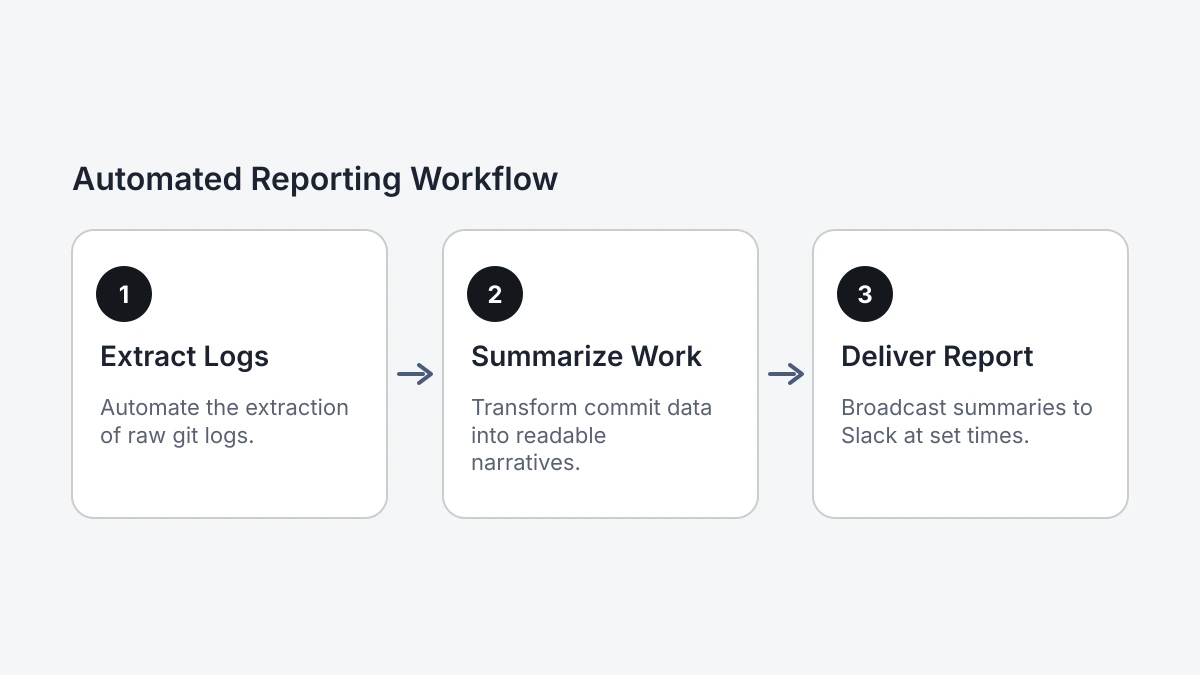
The core value of this git slack integration lies in its ability to categorize and attribute work automatically. DevSummary parses commit messages to provide per-author tallies, showing exactly how many contributions each developer made during the reporting period. Furthermore, it breaks down activities by commit type, distinguishing between feature development, bug fixes, refactoring, and documentation updates. This level of granularity helps engineering leads identify where the team’s effort is actually being spent. Instead of guessing if a sprint was dominated by technical debt or new value, leads can see a clear count of “feat” versus “fix” commits in the weekly Slack digest.
This automated tallying removes the administrative burden of tracking team velocity. When leads manually count commits or pull-request closures, they lose time that should be spent on technical strategy and mentorship. DevSummary provides the data necessary to understand output trends over time, ensuring that no contributor’s work goes unnoticed. This is particularly vital as distributed teams require more transparent signaling of progress to stay aligned. Understanding Why founders lose track of what engineering ships highlights the gap between technical activity and business awareness that these reports bridge. By automating the reporting loop, engineering leads can focus on unblocking their teams rather than compiling status spreadsheets.
Local-first tools protect source code privacy
Integrate Git activity with Slack without routing sensitive source code through third-party cloud servers. Use the DevSummary desktop app as a local-first client to process repository metadata directly on your workstation. The application generates summaries locally instead of uploading entire codebases to a remote AI for analysis. This architecture ensures that intellectual property remains within the local environment while providing the high-level visibility required for team coordination.
Inspect the underlying code of this source-available tool to verify how data is handled. Engineering teams can confirm that no hidden telemetry or unauthorized exfiltration occurs. This transparency serves organizations with strict compliance requirements or those in highly regulated sectors where data residency is a primary concern. Consult the official Privacy Policy for specific details on data retention, legal protections, and technical boundaries.
Avoid the friction and security risks of creating additional cloud accounts for every team member by processing data on local machines. The desktop app connects directly to local Git configurations and the Slack API, which maintains a lean footprint and eliminates the need for a persistent external database of code history. This setup allows for rapid deployment across a team without the administrative overhead of enterprise cloud onboarding. Verify current feature availability and plan details on the vendor’s website, as these specifications are updated frequently.
Frequently asked questions
Is the GitHub Slack integration free?
The official GitHub Slack app is free to install and use for all GitHub and Slack accounts. While the integration itself carries no additional subscription cost, your team must maintain active accounts on both platforms to facilitate the connection. Advanced enterprise-grade features may require specific organizational licensing tiers on either service.
How do I upgrade my GitHub Slack app for the 2026 features?
Run the /github upgrade command in any channel or visit the Slack App Directory to refresh your installation. This manual update is necessary for legacy workspaces to access the 2026 architecture, which includes enhanced AI knowledge source compatibility and improved security profiles. Ensure your workspace administrator approves the new permission scopes to enable these features.
Can I get Git summaries in Slack without giving a third party access to my code?
Yes, you can deploy local-first tools or self-hosted integration bridges that process repository data on your own infrastructure. These solutions generate summaries and intelligence reports internally before sending the final text to Slack, ensuring your source code remains private and secure. This architecture prevents third-party vendors from indexing or storing your sensitive intellectual property.
How often does the Git data refresh in Slack integrations?
Git data refreshes in near real-time using webhooks that trigger immediately upon repository events like commits, merges, or pull requests. Most notifications appear in your designated Slack channels within seconds of the action being recorded on the server. You can also configure automated reporting intervals to aggregate these logs into daily or weekly engineering intelligence summaries.
Selecting Your Git Slack Integration Strategy
The transition from simple repository pings to a sophisticated engineering intelligence system requires a deliberate choice between convenience and control. Before committing to a specific git slack integration architecture, you must reconcile your internal security posture with your team’s growing need for cross-functional transparency. Answering these five questions will define your implementation path.
- Audit privacy requirements, determining if your source code metadata must remain strictly within a local-first environment or can reside in a managed cloud.
- Evaluate stakeholder needs, identifying which non-technical project leads and product managers require high-level summaries rather than raw, technical commit logs.
- Check workspace compatibility, verifying that your current Slack instance has been upgraded to support the full suite of 2026 interactive notification features.
- Define notification density, establishing the specific event triggers and branch filters that warrant an interruptive alert versus a silent, searchable log entry.
- Assess AI readiness, deciding whether your repository data should be structured for immediate ingestion by automated engineering knowledge management tools.
Selecting a git slack integration requires balancing immediate visibility against the risk of notification fatigue and long-term data security. For teams that need to turn complex repository events into clear engineering intelligence automatically, Devsummary provides the necessary bridge. Visit Devsummary to integrate your development data with your team communication.
More posts
Guide · · 13 min read
Automating Git Reports for Non-Technical Stakeholders
Guide · · 13 min read
Choosing Project Management Agile Software in 2026
A guide to selecting agile software for non-technical leaders, featuring 10 top tools and strategies for translating dev activity into business value.
Read